I still remember the panic I felt after setting up my email on a new phone years ago. Everything looked fine at first. My inbox loaded, messages appeared, and I thought the setup was complete. But later that day, I opened my laptop and realized hundreds of emails were suddenly missing.
At first, I thought my account had been hacked. I spent hours checking passwords, restarting devices, and searching for solutions online. Then I discovered the real problem: I had chosen POP3 instead of IMAP during setup.
Honestly, I had no idea there was such a big difference between the two. Both sounded technical and confusing. Most email apps simply asked me to pick one quickly, and I clicked without understanding what it actually meant.
If you’ve ever wondered “Should I use IMAP or POP3?” you are definitely not alone. Millions of people still get confused when setting up Gmail, Outlook, Yahoo Mail, or business email accounts.
The good news is that the difference is actually very simple once someone explains it clearly. In this guide, I’ll break down IMAP vs POP3 in easy English so you can choose the right option without risking your emails again.
⚡ IMAP or POP3 – Quick Answer
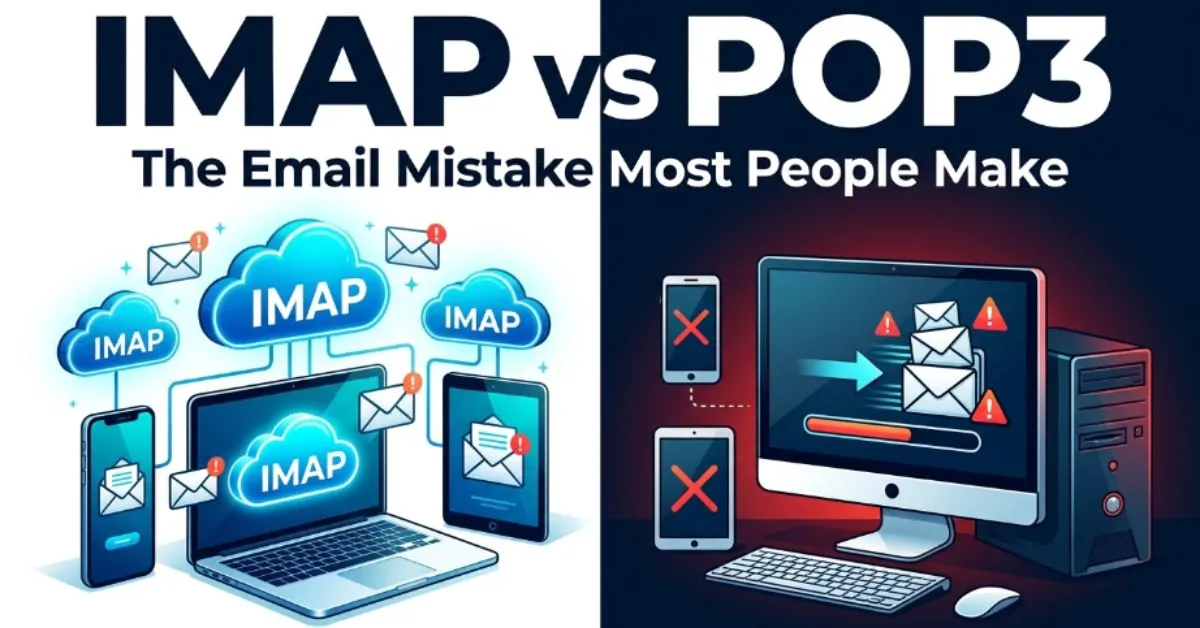
IMAP keeps your emails synced across all devices.
POP3 downloads emails to one device and may remove them from the server.
Simple Examples:
- ✅ IMAP lets you see the same emails on your phone and laptop.
- ✅ POP3 stores emails mainly on one device.
- ✅ Most people today should choose IMAP.
Easy Rule:
- IMAP = Modern syncing
- POP3 = Old-style downloading
🤔 Why Do People Confuse IMAP or POP3?
People confuse IMAP and POP3 because both are email protocols used for receiving messages. To beginners, they sound like complicated tech words with almost identical purposes.
Another reason is that email apps rarely explain the difference clearly. During setup, users often see:
- IMAP
- POP3
Then they are expected to choose quickly without guidance.
The names themselves also create confusion. Both use numbers and capital letters, making them feel overly technical. Most people focus on getting their email working instead of understanding how the system actually stores messages.
The confusion becomes worse because both options can successfully receive emails. So users may not notice the difference immediately. The real problems appear later when emails disappear, fail to sync, or only appear on one device.
Technology has also changed over time. Years ago, POP3 was very common because internet connections were slower and storage was limited. Today, IMAP works better for smartphones, tablets, laptops, and cloud-based email.
That’s why many modern providers recommend IMAP by default.
📜 The Origin of IMAP or POP3
Both IMAP and POP3 were created to help people access email from mail servers.
POP3
POP3 stands for:
Post Office Protocol Version 3
It was designed in the early days of the internet. Back then, many people used one computer for email. POP3 downloaded messages directly to that device.
This method saved server space and worked well when internet access was slower and less reliable.
IMAP
IMAP stands for:
Internet Message Access Protocol
IMAP was created later to support better synchronization between devices. Instead of downloading and removing emails, IMAP keeps messages stored on the server.
That allows users to:
- access emails anywhere
- sync folders
- manage multiple devices easily
Today, IMAP is considered the more modern and flexible option.
🌍 British vs American English
Unlike many English terms, IMAP and POP3 are technical internet standards. Their spelling stays exactly the same in both British and American English.
| Term | American English | British English | Meaning |
| IMAP | Same spelling | Same spelling | Email syncing protocol |
| POP3 | Same spelling | Same spelling | Email download protocol |
Small Usage Difference
In the USA, businesses and schools commonly recommend IMAP for cloud syncing. The UK generally follows the same approach.
Because these are global internet technologies, there is almost no regional spelling variation.
🎯 Which One Should You Use?
For most people today, IMAP is the best choice.
Choose IMAP If:
- You use multiple devices
- You check email on your phone and laptop
- You want emails synced everywhere
- You use Gmail, Outlook, or Yahoo Mail
Choose POP3 If:
- You only use one device
- You want offline email storage
- You prefer downloading emails permanently
- You have very limited server storage
For Bloggers and Freelancers
If you manage business emails across devices, IMAP is usually safer and more convenient.
For SEO and Business Websites
Most hosting companies recommend IMAP because modern users expect synced email access.
Best Practical Advice
- Modern users → IMAP
- Old-school single-device setup → POP3
If you’re unsure, choose IMAP. It’s the safer option for most situations today.
❌ Common Mistakes (Avoid These!)
Here are the biggest mistakes people make with IMAP and POP3.
Mistake #1: Choosing POP3 Without Understanding It
❌ “I clicked POP3 because it sounded faster.”
✅ Understand how each protocol stores emails first.
Mistake #2: Thinking Both Work the Same
❌ “IMAP and POP3 are identical.”
✅ IMAP syncs; POP3 downloads.
Mistake #3: Losing Emails Across Devices
❌ Using POP3 on multiple devices
✅ IMAP keeps messages synced everywhere.
Mistake #4: Ignoring Backup Risks
❌ Storing all emails only on one computer
✅ Use cloud syncing or backups.
Mistake #5: Confusing Sending and Receiving Protocols
❌ “POP3 sends emails.”
✅ SMTP handles sending emails.
📝 Real Life Examples
Here’s how IMAP or POP3 appears in real situations.
Emails
- “Please configure your account using IMAP settings.”
- “POP3 may download messages to your desktop only.”
Social Media
- “I switched from POP3 to IMAP and finally fixed my syncing issues.”
- “Why are my emails missing on my phone? Probably POP3.”
News and Tech Articles
- “Experts recommend IMAP for modern email access.”
- “POP3 usage continues to decline globally.”
Formal Writing
- “The company mail server supports both IMAP and POP3.”
- “IMAP improves synchronization across devices.”
📊 Quick Comparison Table
| Feature | IMAP | POP3 |
| Full Form | Internet Message Access Protocol | Post Office Protocol Version 3 |
| Main Purpose | Sync emails | Download emails |
| Multi-Device Support | Excellent | Limited |
| Stores Emails On | Server | Local device |
| Best For | Modern users | Single-device users |
| Risk of Missing Emails | Low | Higher |
| Common Today? | Very common | Less common |
FAQs❓
Q. What is the difference between IMAP and POP3?
IMAP syncs emails across devices, while POP3 downloads emails mainly to one device.
Q. Which is better: IMAP or POP3?
For most people today, IMAP is better because it supports multiple devices.
Q. Does POP3 delete emails from the server?
Sometimes yes, depending on settings.
Q. Is IMAP safer than POP3?
IMAP is generally safer for syncing and backup purposes.
Q. Should I use IMAP on my phone?
Yes. IMAP works best for smartphones and tablets.
Q. Can I switch from POP3 to IMAP?
Yes, but you may need to reconfigure your email settings carefully.
Q. Does Gmail use IMAP?
Yes. Gmail supports IMAP and recommends it for most users.
Q. Is POP3 outdated?
POP3 still works, but IMAP is more common today.
Conclusion 🎯
Understanding IMAP or POP3 becomes much easier once you know the core difference. IMAP keeps your emails synced across devices, while POP3 mainly downloads them to a single device.
Years ago, POP3 made sense because people usually checked email on one computer. But today, most of us use phones, laptops, tablets, and webmail together. That’s why IMAP has become the preferred choice for modern email users.
If you want convenience, syncing, and easy access anywhere, IMAP is usually the smartest option. It helps prevent missing emails and keeps your inbox consistent across devices.
POP3 still has some uses, especially for offline storage or older systems, but it’s no longer the default choice for most people.
The next time your email app asks you to choose between IMAP and POP3, you won’t need to guess or panic.
Just remember:
- IMAP = synced everywhere
- POP3 = downloaded locally
That simple rule can save you from major email headaches later.
Discover More Articles:
- 🌸 Vileplume or Bellossom : One Letter Changes Everything (2026)
- 🐆 Leopard or Cheetah : The Hidden Difference Wildlife Fans Always Miss
- 👹 Cerebus or Cerberus : The Easy Trick to Never Mix Them Up Again