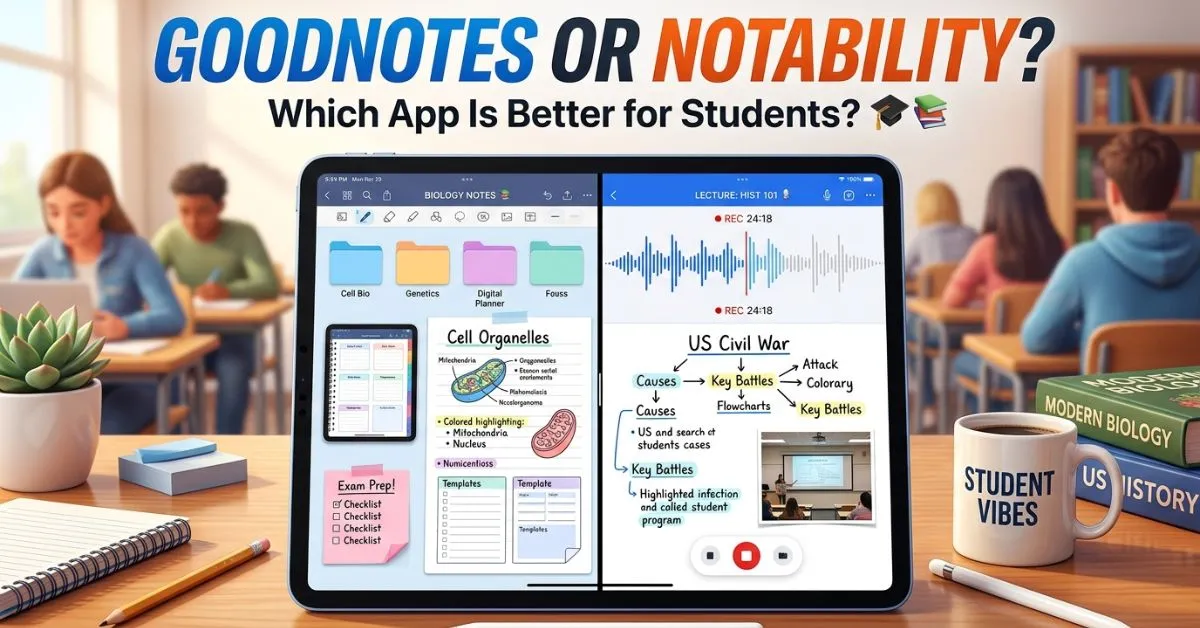
I still remember the first time I bought an iPad for studying. Everyone online kept talking about two apps: GoodNotes and Notability. At first, I honestly thought they were basically the same app with different logos. Both promised handwritten notes, Apple Pencil support, PDF annotation, and “better productivity.” So I downloaded one without doing much research. Big mistake.
A few weeks later, I watched classmates using features my app didn’t have. Some people loved audio recording. Others preferred notebook organization. Then I started searching online for “GoodNotes or Notability,” and suddenly I found thousands of debates between students, teachers, artists, and productivity fans.
That’s when I realized something important: GoodNotes and Notability may look similar, but they are designed for different note taking styles and user preferences. If you’ve ever wondered which app is better for students, handwritten notes, PDF studying, or productivity, you are definitely not alone. Millions of iPad users compare these apps every year.
The good news? Once you understand a few key differences, choosing between them becomes much easier. In this guide, I’ll explain the real difference between GoodNotes or Notability, why people confuse them, their origins, strengths, weaknesses, and which app fits different users best. By the end, you’ll never feel confused about this popular note taking debate again.
⚡ GoodNotes or Notability – Quick Answer
GoodNotes and Notability are both popular iPad note taking apps with handwriting support.
The biggest difference:
- GoodNotes focuses more on notebook organization and customization.
- Notability focuses more on simplicity and audio recording features.
Quick Examples:
- “GoodNotes works great for organized study notes.”
- “Notability is popular for lecture recordings.”
- “Both apps support Apple Pencil handwriting.”
The easiest trick:
Organization = GoodNotes
Audio notes and simplicity = Notability
🤔 Why Do People Confuse GoodNotes or Notability?
People confuse GoodNotes and Notability because both apps:
- work on iPads,
- support handwritten notes,
- allow PDF annotation,
- and are heavily used by students.
Visually, they also feel similar at first glance.
Both apps offer:
- digital notebooks,
- Apple Pencil writing,
- highlighting tools,
- and cloud syncing.
Another reason is social media. Study influencers on YouTube, TikTok, and Instagram constantly compare:
- GoodNotes,
- Notability,
- OneNote,
- and other productivity apps.
That creates confusion for beginners.
The biggest misunderstanding is thinking one app is objectively “better” for everyone.
But the truth is simple:
GoodNotes and Notability are designed for slightly different note taking styles.
Once you understand your own workflow, choosing becomes much easier.
📜 The Origin of GoodNotes or Notability
GoodNotes was created to give iPad users a digital notebook experience that feels close to real paper.
Over time, it became famous for:
- notebook organization,
- handwriting quality,
- and customizable templates.
Many students and professionals now use GoodNotes for:
- school notes,
- planners,
- journals,
- and PDF study materials.
Notability was developed with a stronger focus on simple note taking and lecture recording.
One of its most famous features became:
- synchronized audio recording while writing notes.
That feature made Notability especially popular among:
- college students,
- lecture attendees,
- and meeting heavy professionals.
Unlike spelling confusion topics like “gray vs grey,” GoodNotes and Notability are completely different apps with unique features and workflows.
🌍 British vs American English
There is no spelling difference between British and American English for these app names.
Both regions use:
- GoodNotes
- Notability
Comparison Table
| App | American English | British English | Meaning |
| GoodNotes | GoodNotes | GoodNotes | Digital notebook app |
| Notability | Notability | Notability | Digital note taking app |
The branding remains identical worldwide.
🎯 Which One Should You Use?
Use the app that best matches your note taking style and workflow.
Choose GoodNotes When:
- you love organized notebooks,
- you use planners or journals,
- you want customizable templates,
- or you manage lots of subjects.
Choose Notability When:
- you record lectures often,
- you prefer a simpler interface,
- you like fast note taking,
- or you attend many meetings/classes.
For Students
GoodNotes is often preferred for:
- structured studying,
- digital planning,
- and organized note systems.
Notability is often preferred for:
- lecture heavy courses,
- fast note capture,
- and audio supported studying.
For Bloggers and SEO Writers
Correct terminology matters because search intent differs heavily.
Someone searching:
“GoodNotes planner templates”
usually wants:
- organization tools,
- journaling layouts,
- or productivity systems.
Someone searching:
“Notability audio recording”
usually wants:
- lecture note features,
- synced recordings,
- or classroom workflows.
Using accurate keywords improves:
- SEO rankings,
- reader trust,
- and content relevance.
❌ Common Mistakes (Avoid These!)
Many people accidentally misunderstand GoodNotes and Notability.
Mistake #1: Thinking Both Apps Are Identical
❌ Wrong: “GoodNotes and Notability are exactly the same.”
✅ Correct: “They have different strengths and workflows.”
Mistake #2: Ignoring Audio Features
❌ Wrong: “GoodNotes and Notability both focus equally on recordings.”
✅ Correct: “Notability is more famous for audio recording.”
Mistake #3: Choosing Based Only on Popularity
❌ Wrong: “The most popular app is automatically best.”
✅ Correct: “The best app depends on your workflow.”
Mistake #4: Ignoring Organization Needs
❌ Wrong: “Folder organization doesn’t matter.”
✅ Correct: “Good organization improves productivity.”
Mistake #5: Assuming All Students Need the Same App
❌ Wrong: “Everyone should use GoodNotes.”
✅ Correct: “Different students prefer different features.”
📝 Real Life Examples
Here’s how GoodNotes and Notability are used correctly in everyday conversations.
Emails
“I switched to GoodNotes for better notebook organization.”
“Notability helps me record lectures while taking notes.”
Social Media
“GoodNotes templates completely changed my productivity.”
“Notability audio syncing is incredibly useful for classes.”
News and Tech Content
“GoodNotes remains popular among digital planners.”
“Notability continues attracting students with recording tools.”
Formal Writing
“GoodNotes provides advanced digital notebook management.”
“Notability integrates handwriting with synchronized audio recording.”
📱 GoodNotes vs Notability: The Main Difference
Here’s the easiest way to understand the difference.
| Feature | GoodNotes | Notability |
| Main Strength | Organization | Audio recording |
| Interface Style | Notebook focused | Simpler workflow |
| Popular With | Planners & students | Lecture note takers |
| Templates | Extensive | More limited |
| Audio Recording | Basic/limited | Excellent |
| Folder Structure | Strong organization | Simpler organization |
| PDF Annotation | Excellent | Excellent |
| Writing Experience | Smooth and customizable | Fast and simple |
This comparison makes the distinction much easier.
📚 Why Students Choose GoodNotes
Many students prefer GoodNotes because it feels very close to a real digital notebook system.
Popular features include:
- subject folders,
- custom covers,
- handwriting search,
- and planner templates.
GoodNotes is especially useful for students managing:
- multiple classes,
- long term study notes,
- and organized revision systems.
Its customization options also make it popular among:
- journaling communities,
- productivity creators,
- and digital planners.
🎤 Why Students Choose Notability
Many students choose Notability because of its audio recording tools.
One standout feature allows users to:
- record lectures,
- write notes simultaneously,
- and replay recordings synced with handwriting.
That becomes incredibly useful during:
- fast lectures,
- difficult classes,
- and important meetings.
Many users also love Notability because:
- the interface feels simple,
- navigation is fast,
- and note creation is quick.
💰 Pricing and Subscription Differences
Pricing is another major factor.
GoodNotes
Often uses:
- free basic access,
- plus premium upgrades for advanced features.
Notability
Uses subscription based premium features for many tools.
Pricing models can change over time, so many students compare:
- long term value,
- cloud storage,
- and premium features before choosing.
🧠 Which App Is Better Overall?
There is no universal winner.
GoodNotes Is Better For:
- organization,
- planning,
- notebooks,
- and customization.
Notability Is Better For:
- lecture recordings,
- fast notes,
- and simpler workflows.
The “best” app depends on:
- your study habits,
- learning style,
- and productivity needs.
📊 Quick Comparison Table
| Term | Meaning | Category | Common Usage | Region |
| GoodNotes | Digital notebook app | Productivity app | Study organization | Worldwide |
| Notability | Note taking app with recordings | Productivity app | Lectures and notes | Worldwide |
FAQs ❓
Q. Is GoodNotes better than Notability?
It depends on your workflow and preferences.
Q. Which app is better for students?
Both are popular, but students choose based on organization vs recording needs.
Q. Does Notability record audio?
Yes. Audio recording is one of its most famous features.
Q. Is GoodNotes good for planners?
Yes. Many people use it for digital planning and journaling.
Q. Can both apps annotate PDFs?
Yes. Both support PDF annotation.
Q. Which app feels more organized?
Many users believe GoodNotes offers stronger organization tools.
Q. Is Notability simpler to use?
Many beginners find Notability easier and faster initially.
Q. Can I use both apps together?
Yes. Some students use GoodNotes for organization and Notability for lectures.
🎯 Conclusion
Understanding the difference between GoodNotes or Notability becomes much easier once you focus on your personal note taking style.
GoodNotes is:
- highly organized,
- customizable,
- and ideal for structured study systems.
Notability is:
- simple,
- fast,
- and especially powerful for lecture recording.
People confuse them because both apps support:
- handwritten notes,
- PDF annotation,
- Apple Pencil writing,
- and student productivity.
But the easiest trick to remember is simple:
Organization and planners = GoodNotes
Audio recordings and simplicity = Notability
Once you understand that difference, choosing the right app becomes far less stressful.
The next time someone asks whether GoodNotes or Notability is better, you’ll instantly understand the real differences and confidently pick the app that matches your workflow best.
And you’ll never feel confused about this note taking debate again.
Discover More Articles:
- Oversite or Oversight : Meaning, Spelling, and Common Mistakes👀(2026)
- Rythm or Rhythm : Meaning, Spelling, and Common Mistakes🎵(2026)
- 🐾 Voles or Moles : The Easy Difference Explained (2026)

I’m Veronica Roth, an author at GrammarGuides.com, where I make English easy to understand. As a grammar expert, I help readers master spelling, punctuation, and common language mistakes.