I still remember the first time I heard someone ask whether a website should be static or dynamic. At the time, I thought the answer was obvious. A website is a website, right? But after digging deeper, I realized there was much more to the decision than I expected.
The confusion became even bigger when different experts gave different advice. Some claimed static solutions were faster, safer, and easier to manage. Others argued that dynamic options offered flexibility, automation, and a better user experience. Suddenly, a simple choice felt surprisingly complicated.
If you’ve been comparing static or dynamic, you’re probably trying to figure out which option fits your needs best. Whether you’re building a website, creating content, managing data, designing applications, or learning technical concepts, understanding the difference matters.
The truth is that neither option is universally better. Each serves a different purpose and works best in specific situations.
In this guide, I’ll explain the key differences between static and dynamic in simple, beginner-friendly language. By the end, you’ll know exactly when to choose static, when to choose dynamic, and how to avoid common mistakes that lead many people to make the wrong decision.
⚡Static or Dynamic – Quick Answer
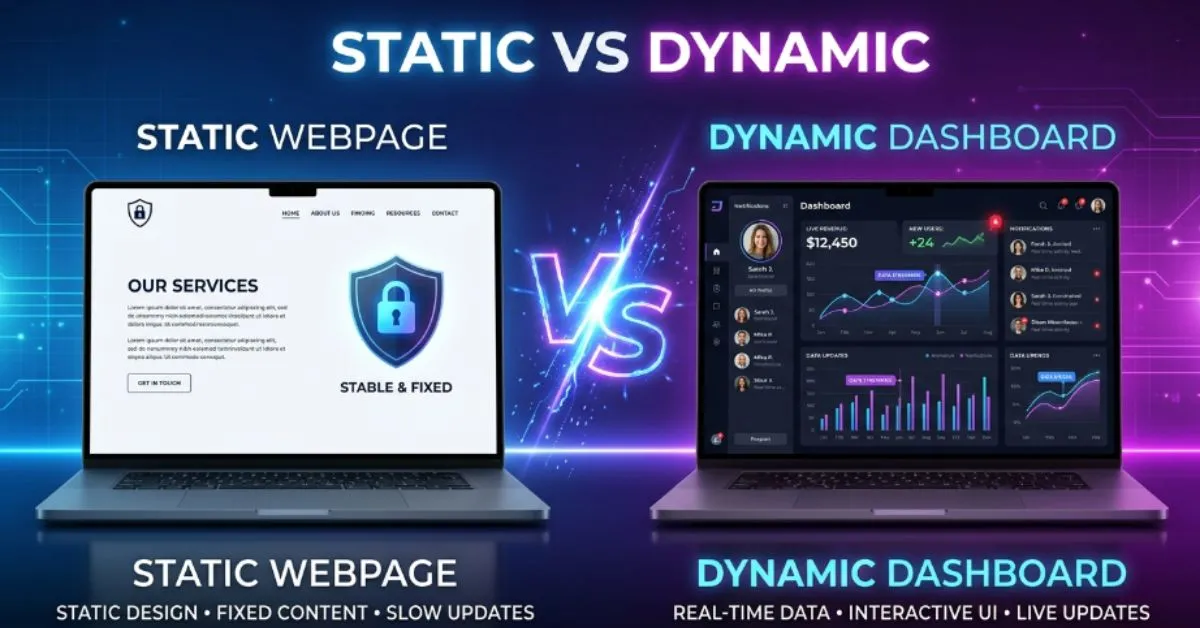
A static system stays the same unless someone manually changes it.
A dynamic system can change automatically based on data, users, actions, or conditions.
Examples:
- A printed poster is static.
- A live news feed is dynamic.
- A basic HTML page is static, while a database-driven website is dynamic.
Simple takeaway: Choose static when stability and simplicity matter. Choose dynamic when flexibility and real-time updates matter.
🤔 Why Do People Compare Static or Dynamic?
People compare static and dynamic because both can accomplish similar goals in different ways.
For example:
- Both can display information.
- Both can power websites.
- Both can support business operations.
- Both can provide user experiences.
The confusion happens because users often see the same result on the surface.
A static webpage and a dynamic webpage may look nearly identical. However, what happens behind the scenes is very different.
Many people assume dynamic is always better because it sounds more advanced. Others assume static is outdated. In reality, both have valuable use cases.
The Background Behind Both Options 📜
Static
Static systems have existed for centuries in many forms.
A static object remains fixed until someone changes it manually.
In technology, early websites were mostly static. Developers created pages with fixed content that looked the same for every visitor.
Dynamic
Dynamic systems evolved as technology advanced.
Businesses wanted websites and applications that could respond to users, update automatically, and display personalized information.
Today, dynamic systems power social media platforms, online stores, banking applications, and countless digital experiences.
The key difference remains simple: static stays fixed, while dynamic changes based on circumstances.
📊 Key Differences at a Glance
| Feature | Static | Dynamic |
| Main Purpose | Stability | Flexibility |
| Content Changes | Manual | Automatic |
| Speed | Usually faster | Can be slower |
| Complexity | Simple | More complex |
| Maintenance | Low | Higher |
| Personalization | Limited | Extensive |
| Scalability | Good | Excellent |
| Security | Generally stronger | More attack points |
| Availability | Always ready | Depends on systems |
| Convenience | Easy to manage | Highly adaptable |
| Best For | Simple projects | Interactive experiences |
| Pros | Fast, secure, reliable | Flexible, personalized |
| Cons | Less adaptable | More complex |
Feature by Feature Comparison 🔍
Ease of Use
Static solutions are often easier to create and manage.
There are fewer moving parts, making troubleshooting simpler.
Dynamic systems require additional tools, databases, and integrations.
Performance
Static systems are usually faster.
Since content is already prepared, it can load immediately.
Dynamic systems often generate content in real time, which can increase loading times.
Personalization
Dynamic solutions win easily here.
They can show different content to different users.
Static systems usually show identical content to everyone.
Security
Static systems generally have fewer security risks.
Fewer components mean fewer opportunities for attacks.
Dynamic systems require ongoing security updates and monitoring.
Scalability
Dynamic solutions handle complex growth more effectively.
Large businesses often rely on dynamic systems because they can manage changing needs.
Content Updates
Static content requires manual editing.
Dynamic content can update automatically through databases, APIs, or user actions.
Pricing and Value Comparison 💰
Pricing varies greatly depending on the project.
Static Costs
Typical costs may include:
- Basic hosting
- Simple development
- Minimal maintenance
Static solutions are often cheaper.
Dynamic Costs
Typical costs may include:
- Database management
- Advanced development
- Ongoing maintenance
- Security monitoring
Dynamic systems often cost more.
Which Offers Better Value?
Best value for simple projects: Static
Best value for growing businesses: Dynamic
Best value for beginners: Static
Best value for advanced applications: Dynamic
Remember that prices can change over time depending on technology and service providers.
Pros and Cons ✅❌
Static Pros
- Fast loading speeds
- Strong security
- Lower costs
- Easy maintenance
- Reliable performance
- Simpler infrastructure
Static Cons
- Manual updates
- Limited personalization
- Less flexibility
- Fewer interactive features
Dynamic Pros
- Personalized experiences
- Automatic updates
- Better scalability
- Advanced functionality
- Interactive features
- Improved user engagement
Dynamic Cons
- Higher costs
- More complexity
- Increased maintenance
- Additional security concerns
Who Should Choose Static? 🎯
Choose static if you:
- ✅ Need a simple website
- ✅ Want low maintenance
- ✅ Prioritize speed
- ✅ Have limited technical resources
- ✅ Rarely update content
- ✅ Need strong security
- ✅ Want predictable performance
Static is often ideal for portfolios, landing pages, informational websites, and small projects.
Who Should Choose Dynamic? 🎯
Choose dynamic if you:
- ✅ Need user accounts
- ✅ Want personalized content
- ✅ Frequently update information
- ✅ Run an online store
- ✅ Manage large amounts of data
- ✅ Need advanced functionality
- ✅ Expect significant growth
Dynamic systems are often best for businesses, e-commerce stores, social platforms, and large applications.
❌ Common Mistakes People Make
Mistake #1: Assuming Dynamic Is Always Better
Reality: Many successful websites use static solutions because they are faster and easier to maintain.
Mistake #2: Ignoring Future Growth
Reality: A static solution may become limiting as needs expand.
Mistake #3: Choosing Based on Trends
Reality: The best choice depends on requirements, not popularity.
Mistake #4: Underestimating Maintenance
Reality: Dynamic systems require more ongoing attention.
Mistake #5: Focusing Only on Cost
Reality: Long-term value often matters more than initial expense.
📝 Real Life Examples
Everyday Situations
A printed restaurant menu is static.
A digital menu that changes prices automatically is dynamic.
Social Media
Social media platforms are dynamic because content updates continuously.
Reviews
Many users praise static websites for speed.
Others prefer dynamic systems because of convenience and personalization.
Professional Discussions
Developers often debate performance versus flexibility when comparing static and dynamic solutions.
Consumer Decisions
Businesses frequently choose dynamic platforms when customer interaction is a priority.
🤔 Things to Consider Before Choosing
Budget
Can you afford ongoing maintenance?
Long-Term Value
Will your needs grow over time?
Ease of Use
Do you want simplicity or advanced functionality?
Personal Goals
What are you trying to achieve?
Features Needed
Do you need personalization, automation, or user interaction?
Important Deciding Factors
- Technical expertise
- Expected traffic
- Update frequency
- Security requirements
- Future growth plans
📋 Quick Comparison Table
| Category | Winner |
| Speed | Static |
| Simplicity | Static |
| Security | Static |
| Personalization | Dynamic |
| Scalability | Dynamic |
| Flexibility | Dynamic |
| Best for Beginners | Static |
| Best Overall Value | Depends on needs |
| Best for Advanced Users | Dynamic |
| Best Convenience | Dynamic |
| Overall Recommendation | Match the solution to your goals |
FAQs❓
Q. What does static mean?
Static means fixed and unchanged unless manually updated.
Q. What does dynamic mean?
Dynamic means capable of changing automatically based on conditions or data.
Q. Is static faster than dynamic?
In many cases, yes.
Q. Is dynamic better than static?
Not always. It depends on the project requirements.
Q. Are static websites secure?
Generally, yes. They often have fewer vulnerabilities.
Q. Why are dynamic systems popular?
They offer flexibility, automation, and personalization.
Q. Can a static website become dynamic?
Yes. Developers can add dynamic features over time.
Q. Which is cheaper?
Static solutions are often less expensive.
Q. Which is better for businesses?
Many growing businesses benefit from dynamic systems.
Q. Which is easier for beginners?
Static systems are usually easier to understand and manage.
Expert Tip 💡
Before choosing static or dynamic, list the features you absolutely need today and the features you might need in two years. If future growth and customization are important, dynamic may save time later. If simplicity and speed matter most, static is often the smarter choice.
Conclusion
The static or dynamic debate is not about finding a universal winner. It is about understanding your goals and selecting the right approach for your specific situation.
Static solutions excel in speed, simplicity, security, and affordability. They work well when content changes infrequently and user interaction is minimal. Many individuals and small businesses find that static systems meet their needs perfectly.
Dynamic solutions shine when flexibility, automation, personalization, and scalability are important. They power many of today’s most popular websites, applications, and digital platforms because they can adapt to changing user needs.
If you value straightforward management and reliable performance, static may be the better choice. If you need advanced features, personalized experiences, and room for growth, dynamic is likely the stronger option.
Rather than asking which is better, ask which one aligns with your goals. Once you focus on your actual needs, the decision becomes much clearer. Choose the option that delivers the right balance of functionality, cost, and long-term value for your project.